Aligning things in Word is a joke. So many times shit just decides it’s going to fucking being 3 spaces over there instead of directly below something.
Word is great if you only have words in it. Add a picture? A chart or graph? Suddenly your words have become lemmings with oppositional defiant disorders and jump off the margins.
I dunno maybe they fixed that in recent releases but I’m not paying for a SaaS word processor.
Word is great if you only have words in it. Add a picture? A chart or graph? Suddenly your words have become lemmings with oppositional defiant disorders and jump off the margins.
You clearly don’t know how use Word :P
Trust me it has a learning curve, once you learn how to align things properly and use the provided options in reasonable ways it doesn’t fail, ever.
If word has a long learning curve, and LaTeX also has a long learning curve.
Why should people use something that is close sourced, spies on user, and expensive; instead of using tools that is free, private, standardized, and open?
You mean tables with invisible grid lines, so that I can finally put two pictures side by side and not have one of them move to fucking China as soon as I want to insert a sentence above?
Can you tell these fools what button that is and how to use it? Not for me obviously I know the exact button you’re talking about, but for the other fools you’re talking to.
If you hover or click the picture a little anchor on the top left corner should pop up. Click it and some options should pop up that’ll let you select whether you want the picture to be in line with text, over the text, under the text etc.
It’s been a while but I think you can right click the imagine, select format and one of the tabs on that windows should give you the same options.

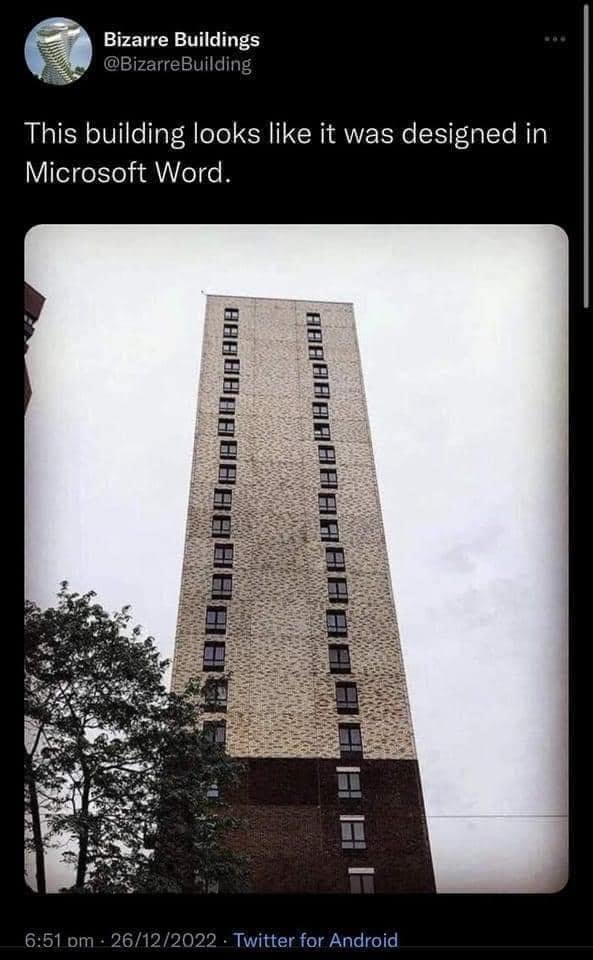
You know that Word has alignment tools that are easy to use and fix those issues don’t you? It looks like it was designed in paint.
Aligning things in Word is a joke. So many times shit just decides it’s going to fucking being 3 spaces over there instead of directly below something.
Paint however gives you pixel perfect placement.
Word is great if you only have words in it. Add a picture? A chart or graph? Suddenly your words have become lemmings with oppositional defiant disorders and jump off the margins.
I dunno maybe they fixed that in recent releases but I’m not paying for a SaaS word processor.
Ever heard about txt? Yet, word is still terrible when it only contain words: http://www.rtznet.nl/zink/latex.php?lang=en
You clearly don’t know how use Word :P
Trust me it has a learning curve, once you learn how to align things properly and use the provided options in reasonable ways it doesn’t fail, ever.
If word has a long learning curve, and LaTeX also has a long learning curve.
Why should people use something that is close sourced, spies on user, and expensive; instead of using tools that is free, private, standardized, and open?
deleted by creator
Agreed
You mean tables with invisible grid lines, so that I can finally put two pictures side by side and not have one of them move to fucking China as soon as I want to insert a sentence above?
Using tables to align things reminds me of the early days of the internet before css really was a thing
i have a small flexbox altar in a closet
DIVs for days. Just float it all left and don’t worry about flexbox. /s
deleted by creator
There’s a button that does what you want without much fuzz. You just have to actually lean how to use Word, like anything else.
Of course there’s a button for that, what fools.
Can you tell these fools what button that is and how to use it? Not for me obviously I know the exact button you’re talking about, but for the other fools you’re talking to.
If you hover or click the picture a little anchor on the top left corner should pop up. Click it and some options should pop up that’ll let you select whether you want the picture to be in line with text, over the text, under the text etc. It’s been a while but I think you can right click the imagine, select format and one of the tabs on that windows should give you the same options.