

Seperis
- 5 Posts
- 43 Comments
Oh, I backup religiously since Blue failed right after I moved and backup my backups on my laptop as well. (literally failed; I lost everything and had to run photorec and three other tools to pick out everything I’d done for the previous six months, since that I hadn’t copied to a backup on my server because I was prepping to move at the time).
So far, OTBR is the biggest stopping issue since HA runs it but nothing sticks. I admit, moving zwave is my actual biggest dread; zigbees I can do probably in a weekend, but zwave is such hell to unpair and re-pair (thought it makes up for it by sticking forever). That’s part of the reason I love Thread and Matter; they’re almost as sticky as zwave once they pair, and while pairing them is variable (sometimes fast, sometimes not so much) they repair themselves pretty consistently if the outage is under 24 hours and you can deliberately unpair them fairly easily.
I’ve been running Home Assistant for roughly five-six years (Pi, then Blue, now Amber and a second instance on my server for network integrations like nmap and netgear), but since my SmartThings hub was taking care of zigbee/zwave, until now I used HA as a coordinator for every smart device ecosystem I was using (Hue, Wyze, Ring, Blink, Alexa, August, Arlo, et al). Sorry that wasn’t clear.
While Ive started slowly adding zigbee devices directly, I haven’t started with zwave and thread isn’t working for me yet (OTBR is running but nothing sticks). And I really don’t want to have my hub fail and all my thread/matter devices useless when I don’t have anything that can access them.
So far, the OTBR on HA isn’t working, but…if it’s an age and device issue, it may be migrating the zigbee and zwave over to HA and leave my SmartThings for my OTBR devices will work for now. That may at least buy some time to work out how to make the HA’s OTBR work.
It’s not reliable on thread/matter.
I use zigbee, zwave, and thread. I’ve migrated half my contact sensors, a few motion and presence, and two rooms of light bulbs to thread, which HA is…questionable on, hence beginning my search.
 1·2 年前
You know, I didn’t think of that. I’ve never run an OS in docker; all I tested my data collection scripts on were my regular VM’s a few times just for fun. And for that matter, most LXC containers I run in Proxmox are privileged to get around restrictions (still haven’t found a way for LXC’s to let me compile different architectures, though. HA may have updated their docker to current, which would explain why it happened so suddenly.
And yes, for now, I’ll just do root login to grab the information; it’s technically more accurate, I am just knee-jerk distrustful of using root to the point until Proxmox and this last year, I almost forgot it existed unless there’s a very weird linux problem I need it for. Thanks for this information, though; I’ve only just started seriously working with LXC and docker containers, so that’s not an approach I woudl have considered.
Full disclosure: I just–and I mean just–got my head wrapped around docker and containers due to installing Proxmox on my server. Right now, my Proxmox server runs a LXC container for docker, and in docker I run Handbrake and MakeMKV images that run the GUIs in a browser or run with command line. They connect to each other through mounting the LXC’s /home/user into both., then added a connection to the remote shares on my other server so I can send them to my media server. Yes, I did have to map all the mountings out first before I started but hey, that’s how I learn.
Long way of saying: I am just now able to start understanding how Home Assistant works–someone said Home Assistant OS was basically really a hypervisor overseeing a lot of containers and now that I use Proxmox, that really helped–but I’m still really unfamiliar with the details.
I installed the full Home Assistant on a dedicated Pi4, so it’s the only thing it does. Until yesterday, the only part I actually interacted with was the data portion, which is where all my files are, where I configure my GUI and script, store addons, etc. The container for this portion runs on Alpine Linux; I can and have and do install/update/change/build packages I need or like to use. in there It’s ephemeral; anything I do outside the data directory (it holds /config, /addons, etc) gets wiped clean on update, so I reinstall them whenever HA does an update .
When I run my data collection scripts on my Home Assistant SBC, they take their information from the container aka Alpine Linux., including saying my OS was Alpine. All of this worked correctly up until–according to the directory dates, December 10th at 2:40 AM when the /sys/firmware was last updated and everything in it vanished, breaking the symlink to /proc/device-tree/model. This also updated the container OS to Alpine 3.19.0. Data collection runs hourly; one of my Pis ssh’s into each computer to run four data collection scripts and updates a browser page I run off apache, so I can check current presence and network status and also check the OS/hardware/running services of all my computers from the browser (the services script doesn’t work on Alpine yet; different structure). I didn’t notice until recently because work got super busy, so I only verified availability and network status regularly.
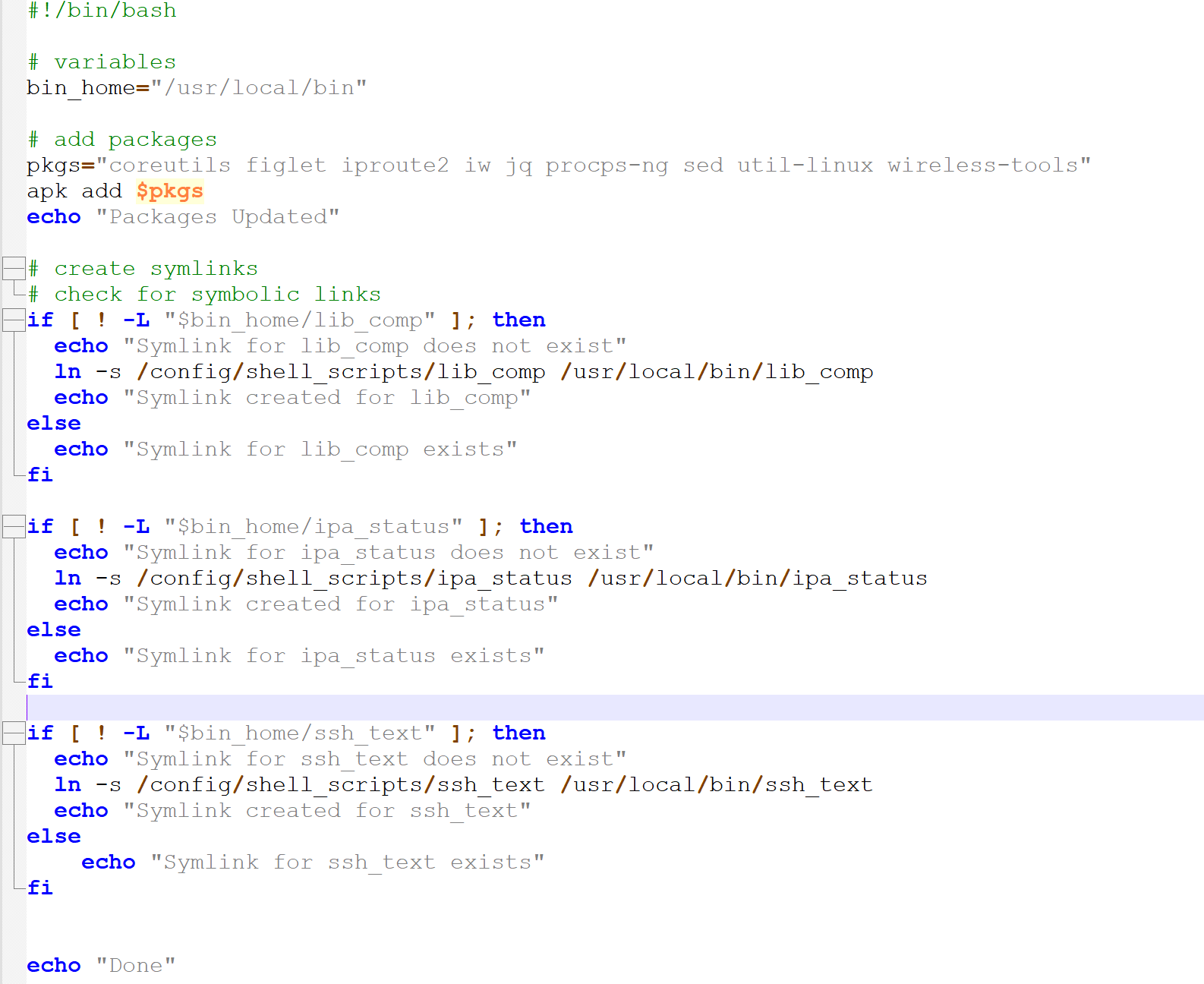
These are the packages I install or switch to an updated/different version the Alpine container to help with this or just have fun: -figlet (it’s just cute ASCII art for an ssh banner), -iproute2 (network info, when updated has option to store network info in a variable as a json),
- iw (wireless adapter info),
- jq (reads and processes json files),
- procps-ng (updated uptime package for more options),
- sed (updated can do more than the installed one),
- util-linux (for column command in bash),
- wireless-tools (iwconfig, more wireless data if iw doesn’t have it) (Note: I think tr may also be updated by one of these.)
These are the ones I use for data collection that are already installed:
- lscpu (“Model name” “Vendor ID” “Architecture” “CPU(s)” “CPU min MHz” “CPU max MHz”)
- uname (kernel)
These are the files I access for data collection:
- /proc/device-tree/model (Computer model)
- /proc/meminfo (RAM)
- /proc/uptime (Uptime)
- /etc/os-release (Current OS data)
- /sys/class/thermal/thermal_zone0/temp (CPU temperature for all my SBCs except BeagleBone Black)
Until this month, all of those files were accessible both before I do the package updates and after. The only one affected was maybe /proc/uptime by the uptime update to get more options. Again: I’ve been running these scripts or versions of them for well over a year and I test individually on each SBC before adding them to my data collection scripts to run remotely; all of these worked on every computer, including whatever SBC was running Home Assistant. (Odroid N2+ until it died a few months ago) And all of them work right now–except /proc/device-tree/model on my Home Assistant SBC. The only way I can get model info is to add an extra ssh to Home Assistant itself as root and grab the data off that file (and while I"m there, get the OS data for Home Assistant instead of Alpine), save it to my shell script directory in my data container, and have the my script process that file for my data after it gets the rest from the container.
That’s why I’m weirded out; this is one of the things that is the same on every single Linux OS I’ve used and on Alpine, so why on earth would this one thing change?
This could conceivably be an Alpine issue; I downloaded Alpine 3.19.0 to run in Proxmox when I get a chance, and I kind of hope that it’s a deliberate change in Alpine, because otherwise, I can’t imagine why on earth the HA team would alter Alpine to break that symlink. Or they could be templating Alpine for the container each time and this time it accidentally broke. The entire thing is just so weird. Or maybe–though not likely–a bug in Alpine 3.19.0, but I doubt it; I can’t possibly be the first to notice, it was released at least three weeks ago and I googled a lot.
I’m honestly not sure it affects anything at all, but it bothers me so here we are. Though granted, it did make me finally get off my ass and figure out how to login as root into HA as well as do a badly needed refactor of my main data collection script (the one that does the ssh’ing) as well as clean and refactor my computer information scripts, so maybe it was destiny.
Which is why I"m not sure I need a bug report. The part I have non-root access to is inside a docker container and that’s all I needed to collect data. But it’s such a random thing to go missing.since that core update.
Since probably October, I’ve noticed some really really random problems show up that never used to. And for once, I know it wasn’t me messing with the code; I took a sabbatical from HA to learn how to use Proxmox a couple of months ago. and everything worked fine. It was actually a clean install to a new Raspberry Pi as my Odroid decided to stop working and I haven’t had time to learn to solder (hopefully this week, tho). I was kind of wondering if it was the Pi that was the problem.
I know, I’m trying to write up a clear bug report on this, but I’m honestly not sure if it actually has any effect other than messing up my data collection scripts. Yeah, it’s annoying the hell out of me but I’ve been going through the documented issues with the core and it doesn’t look like anyone else noticed a problem. I’ve been trying to figure out if it’s created by an alpine package that I can run, but not much luck there.
Note: I enabled root for Home Assistant OS and the symlink and file are fine there.
 1·2 年前
Manually: I had lemmy.world open in one tab and the other server’s community page in the other.
 19·2 年前
Logically, I want to say no, not really, but I also would have thought the blackout and ongoing protests wouldn’t really affect Reddit and they’d ignore it. Reddit itself, however, seems incredibly determined to pursue a course of action which requires performing This Does Not Affect Us At All as dramatically and publicly as possible given the slightest opportunity whether anyone cares or not. This doesn’t even include the admins playing subreddit roulette that encompasses actively rebelling subs, subs deep in malicious compliance, and subs that have no idea wtf is going on they just want to talk about their weird NSFW fetish in peace.
So no, I don’t think so, but I’m beginning to wonder if Reddit thinks there is and what they’re seeing on their side that I’m not.
I semi-regularly distro-hop, but Xubuntu is the distro I keep coming back to between hops to take a break or when one goes (temporarily) dormant. It’s currently running on my primary server/linux machine.
Reasons: 1.) It’s light on resources 2.) It’s very simple and clean. 3.) It works with all the programs I use regularly; only one needs to be hand-compiled (but that one has to be compiled for literally any Linux machine). 4.) I know it. Scrub/partition/install/configure in under an hour. I can pick up any of my projects again immediately where I left off.

The only reason I have social media accounts under my wallet name is to avoid anyone wondering why I’m not on social media (also: grandparents). Everyone IRL who I care enough about to actually explain know I login once a year in a separate browser (under incognito) and check every privacy setting from my checklist and update if it’s important (like job change). LinkedIn I check regularly, but that’s because a.) I only connect with people from work and a lot of them do think it’s important to have strong networks (and they could be right, no idea) and b.) LinkedIn has an education section that my job really likes because it has free classes and when I get bored at work, I can do a quick class in something (nothing they actually want us to do; I have to work in the nightmare that is Agile, do not make me take yet another class about the benefits of this software development hellscape, thanks).
Honestly, I try to give the impression I’m not into social media IRL; there are like, three people in my daily life who are allowed into my online life and one because we more or less both got the internet at the same time and started a mailing list together. Don’t get me wrong, I know a lot of nice people IRL, but not the type I want to introduce to the friends I made online.
I kind of think that’s how it’s supposed to go in my made-up-right-this-second knowledge of the evolution of open source Federated social media sites. Pick the largest/most active/most variety to get your feet wet and make any weird mistakes you need to make in a crowd where you’re one of many and sheer speed of posting means you’ll be forgotten in like, hours. Then you get comfortable and see if this is a forever-fit or just a okay-right-now fit.
I mean, I hard-bond to my first and pretty much settle immediately for life unless something is seriously awry, but even I made a backup in another one that I mirrored all my favorite communities in and I am seriously getting one more in a smaller, more specialized server. Yes, I do get the point of Federated, you do not need to explain, but here’s the thing: intellectually I know that actually, the population of the Fediverse is orders of magnitude smaller than reddit or pretty much any other social media site, but feelings do not agree: Reddit was like a large, slightly hostile country with a lot of states you avoided always but especially between dusk and dawn; the scope of Fediverse is like being on a very small planet in an expanding universe you can watch growing in real time and it never stops. It’s great, but there’s something very unsettling realizing you’re eight servers from home surrounded by kpop or wake up to find you posted in three communities in servers you don’t recognize at two AM and if you can get a reputation for that kind of thing.
My ADHD is living the dream, let’s go, but I can see how it would throw people a little.
If you ever need a wifi adapter that will definitely work with Linux (plus reviews!): https://github.com/morrownr/USB-WiFi/blob/becbea2d5213438e25dc3d35f161e1a0d8a1b12f/home/USB_WiFi_Adapters_that_are_supported_with_Linux_in-kernel_drivers.md


TP-Link AC600
Oops, this was meant as a reply to someone about the TP-Link AC2100 router in anothrr window, ugh. Too many google results open.
Let me google the chipset for that one if you haven’t found drivers that work yet. For some of the Realtek based ones, there’s some you can compile yourself by morrownr.
 2·2 年前
Yeah honestly, wafflemaker is one of those things that if you want waffles not in frozen form, that’s pretty much your only choice. If there is a manual way to do it, I’m honestly scared of the person who worked out how and what they have to do to make it happen.
I am tempted by your grill, though. Hmm.
So I read this like, fourteen hours ago, and I started to reply that no, I can’t; Orbi Pro 6 will only allow a port to carry one VLAN–which you have to assign–unless it’s a Orbi satellite or my Orbi router-turned-AP. Devices won’t. I tested this a lot.
But. I hadn’t tested my switches, at least since I got these specific ones. Apparently, my Netgear switches also get the full trunk, because they’re all smart managed. So I set up the VLANs in the switches, assigned them to ports, and moved Yellow onto the appropriate port. I also had to turn off mDNS sharing between VLAN1 and VLAN20/VLAN30 very quickly because mDNS nightmare but–yeah, that worked.
Thank you. I hadn’t even thought about it because it failed (badly) with my other switches, but here we are. Running discovery tests now with the IoT VLAN to see if everything is still reachable and do some fine-tuning.